


Thursday, 30 May 2013


Added:
- Galaxy S4 LTE models with addition RSA autorisation
- Galaxy S4 models with addition RSA autorisation
- GT-I9500 with addition RSA autorisation.
- GT-I9502 with addition RSA autorisation.
- GT-I9505 with addition RSA autorisation.
- GT-I9508 with addition RSA autorisation.
- GT-I337 with addition RSA autorisation.
- GT-I337M with addition RSA autorisation.
- SGH-M919 (with addition RSA autorisation.
- Galaxy S4 LTE models with addition RSA autorisation
- Galaxy S4 models with addition RSA autorisation
- GT-I9500 with addition RSA autorisation.
- GT-I9502 with addition RSA autorisation.
- GT-I9505 with addition RSA autorisation.
- GT-I9508 with addition RSA autorisation.
- GT-I337 with addition RSA autorisation.
- GT-I337M with addition RSA autorisation.
- SGH-M919 (with addition RSA autorisation.
Uploaded:
- 100Gb firmwares to support.
- 100Gb firmwares to support.
Notice:
Imei repair GS4 LTE work only on rooted phones:
- For GS4 LTE – MD2 firmwares use CF autoroot,
- For GS4 LTE – MDM/MDN/ME2 fimware use modified CF autoroot.
- For M919 root – use CWM and SD card solution.
After rooting you need run SuperSU app. If you don’t see SeperSU – rooting is wrong.
Imei repair GS4 LTE work only on rooted phones:
- For GS4 LTE – MD2 firmwares use CF autoroot,
- For GS4 LTE – MDM/MDN/ME2 fimware use modified CF autoroot.
- For M919 root – use CWM and SD card solution.
After rooting you need run SuperSU app. If you don’t see SeperSU – rooting is wrong.
Friday, 24 May 2013
How to switch between WP7 and WP8 for Dead Boot Repair:

ATF Lumia WP8 TP v9.80 Update - Official Download Links:
Offical Hotfile Mirror
Offical 4shared Mirror
Offical Mediafile Mirror
Offical Mirrorcreator Mirror
ATF Lumia WP8 TP v9.80 Update - Official Download Links:
Offical Hotfile Mirror
Offical 4shared Mirror
Offical Mediafile Mirror
Offical Mirrorcreator Mirror
Thursday, 23 May 2013


Monday, 20 May 2013
VolcanoBox 2.1.1

Whats New?
World's 1st Added One Key SUPERUSER
World's 1st Added One Key UNLOCK
World's 1st Dead Boot Introduction by VolcanoBox
World's 1st Added Dead Boot repair Manual in to Volcanobox Software Help Manual
World's 1st Added Dead Boot repair Test Point Pictures into VolcanoBox Software help Manual
Bug Fixed MTK EMMC Write flash
Solved MTK EMMC After Flash Dead
Improved MTK 6583 Read Flash
Improved MTK 6583 Write Flash
Unlock Pattern Lock DEMONSTRATION
Sunday, 19 May 2013
How to Format or Hard Reset Samsung Galaxy Y Mobile Phone

Format Galaxy Y
Why Format Samsung Galaxy Y?
Samsung Galaxy Y is an Android phone. Like any other such phones it also tends to gather many junk documents and data in the phone’s internal memory. Every operation of the phone will write something on the phone’s log book or other files. As a result, the internal file system becomes complicated. Installing and uninstalling of apps has also similar effects. There are many malwares, adwares etc which damage the core operating system. The phone becomes slow, unresponsive, tends to work strangely and unpredictably. In such cases, you shall have to format or hard reset your Samsung Galaxy Y as soon as possible. It will clean the slate and your phone will be pious again, being freed from every sin.
Warning!
If you want to do hard reset then you must be careful about certain facts:
Backup: Formatting will erase data. It will make the internal memory of your Galaxy Y clean from each and every file which you have stored. You shall lose your photos, movies, contacts, messages, emails if all of these are stored in the internal memory. So, you shall have to take back up of your data to protect.
Power: If,during the hard resetting, the battery dies for lack of juice, then you shall be ruined. It will brick your phone and you shall have to take to the Samsung Care. So, you need a fully charged phone. At least, 70% charge is required to be on the safe side.
Disclaimer
The author of this article or the website is no way responsible for any damage to your phone during the formatting. You shall proceed on your own risk.
Formatting Using the Code
All right, enough is enough. Now, I am going to tell you how to do the trick. It is very simple folks! You just need have to dial a code and the phone will be formatted.
This is the code *2767*3855#
Just dial it and see the magic.
Formatting Using Settings Menu
You can format or hard reset the Galaxy Y suing its setting menu too. Follow the steps:
1) Open “Settings”
2) Go to “Privacy”
3) Find out “Factory Data Reset” and select it.
4) Inside that menu you shall have to select “Reset Phone”.
5) Now select “Erase Everything”
That’s it, so simple!
Format or Hard Reset Video Guide for Galaxy Y
Formatting : Another Option
This option is for emergency. What if, your phone freezes instantly after being switched on? Sometimes, it is seen, that when you switch it on, it restarts. In that time it would be impossible to find out the factory reset setting. It would be very difficult to type the code too. So, what to be done?
There is another way to do it.
1) Press the Volume Up and the Menu key at the same time. Menu key is the middle physical key.
2) Now, while pressing those two buttons, power on the phone.
3) You shall see the factory reset screen.
4) Select “Wipe data/factory reset”
5) Now confirm to perform the task.
How To Hard Reset Micromax Canvas HD A116

Hard Reset Micromax Canvas HD A116
- Switch Off your phone.
- Press and hold Power button together with ‘volume +’ and ‘volume –’ buttons on the side of phone until you get two options.
- Now, press the ‘volume +’ button to enter into the recovery mode.
- This will make a Android icon appears on screen, press power button.
- This will get you the menu options, use the volume up and down button to choose the option.
- To select the option, you needs to simultaneously press two touch sensitive buttons on the bottom of your device, left button which is for the Menu and right button which is for going into previous stage. You have to do this for about 3 seconds.
- Choose the wipe data/factory reset then press the enter button (left button which is for the Menu and right button which is for going into previous stage). Now, phone will get switch off and brings to its initial stage.
Done! with this default way to factory reset you have successfully done with hard reset of your Micromax Canvas HD A116. The hard reset procedure is same for Micromax Canvas A110 also. If you have any questions regarding the procedure to hard reset Micromax Canvas HD A116, you can use the comments form below to ask it.
Friday, 17 May 2013
NCK BOX v1.4 Update - Palm - Alcatel - Vodafone - ZTE - 17/05/2013 Palm (Working Only with Windows XP at the moment) 1. Palm Pre Read Unlock Codes/Direct Unlock (No Patch/No Flash). 2. Palm Pre2 Read Unlock Codes/Direct Unlock (No Patch/No Flash). 3. Palm Pixi Plus Read Unlock Codes/Direct Unlock (No Patch/No Flash). 4. HP Veer. Read Unlock Codes/Direct Unlock (No Patch/No Flash). passthru-drivers.zip Drivers added in Installer. Alcatel OT-510 AQUS1 - at&t UNLIMITED UNLOCK CODE CALCULATION World's First OT-995 TNRS3 UNLIMITED UNLOCK CODE CALCULATION OT-888 UPDATED PIDS UNLIMITED UNLOCK CODE CALCULATION OT-362 UPDATED PIDS UNLIMITED UNLOCK CODE CALCULATION VODAFONE VODAFONE-655 VDRO1 World's First ZTE Softbank 008Z Direct Unlock (No Patch/No Flash). World's First V881 Direct Unlock (No Patch/No Flash). Download From Support Area or: Index of /support/update/Setup & Installers Official Website: NCK BOX |
Wednesday, 15 May 2013
Tuesday, 14 May 2013

Monday, 13 May 2013
Samsung C3222 Restart Problem Repairing Solutions are available in the following article. Samsung C3222 Auto On Off repairing information can also be found in the diagrams further in this post.
In Samsung C3222 Restart Problem or Auto On Off Problem can occur because of a certain part on the mobile phone’s motherboard. I have marked this part in the Diagram below but before doing any hardware solutions you should clean Samsung C3222 Motherboard completely to make sure that rust or carbon is not causing this problem.
Please Note that we will edit these solutions or add new ones if found in this page at any time in the future. So feel free to come back any time on this page to stay up to date.

If you have further Questions please don’t hesitate to leave a comment.
Note: Every diagram we post on repair-mobiles.com is tested by one or more members of our team. Still Use them at Your Own Risk we are not responsible if these solutions may cause any harm to your phone.
In Samsung C3222 Restart Problem or Auto On Off Problem can occur because of a certain part on the mobile phone’s motherboard. I have marked this part in the Diagram below but before doing any hardware solutions you should clean Samsung C3222 Motherboard completely to make sure that rust or carbon is not causing this problem.
Please Note that we will edit these solutions or add new ones if found in this page at any time in the future. So feel free to come back any time on this page to stay up to date.
If you have further Questions please don’t hesitate to leave a comment.
Note: Every diagram we post on repair-mobiles.com is tested by one or more members of our team. Still Use them at Your Own Risk we are not responsible if these solutions may cause any harm to your phone.
Sunday, 12 May 2013


Friday, 10 May 2013

MXBOX v3.5 revision 2.5
NOKIA module updated to version 2.6
- added: WP8 support
Refurbish Flashing support by USB
Recovery(Dead) Flashing support by USB
- added: Service Utility for WP8
Factory Reset without flashing
Read/Write Producttion Data(Product Code,PSN,HW version, etc ..)*
Read/Write WP8 NV items )*
Read/Write WP8 CERTIFICATE(NPC,CCC,HWC,RDC)*
Write CoverColor *
- added: SuperDongle Auth for WP8 phones
SuperDongle Auth is required to write important/secure data
- bugfixed: RAPUV2 security repair function
- revised internal fire module to enable download firmware package by product code
- added latest flash update v 12.46.000.1 to setup
- minor bugfix
* Write function require SuperDongle Auth
SL3 Logger updated to version 2.6
- minor bugfix and improvements
FIRE module updated to version 1.5
- minor bugfix and improvements
DOWNLOAD LINK MXBOX v3.5 revision 2.5
Thursday, 9 May 2013


Volcano Box v2.0.2 Update Download

Volcano Box v2.0.2 Update Download
Volcanobox 2.0.2
World's 1st
World's 1st Coolsand/RDA 8853c 16 MB Supported Read Correct Flash Boot A
World's 1st Coolsand/RDA 8853c 16 MB Supported Write Correct Flash Boot B
SF_N25W32 Read and Write !!Improved Coolsand/RDA Read Flash
Improved Coolsand/RDA Write Flash
Improved Coolsand/RDA User Code
Description:
Coolsand/Rda Read flash improved. it's strongly recommend Read Flash again from working phone from Boot_B and Boot_Auto. Save file with both names like X202 Boot Auto.bin and X202Boot B.bin. like this you will have rare chance of corrupted flash file.
For 8853c you have to read flash from Boot Auto and Write it from Boot_B. In next upcoming updates we will make it Auto will not need to select different boots.
I had seen you guys were have problem in
8853A
CPU ID: 880A 7002(CT8853B)
Flash ID : 002CCB16
Flash Type: SF_N25W32
Flash Len :0x400000(4M)
and
8853C
CPU ID: 880A 7002(CT8853B)
Flash ID : 002CCB18
Flash Type: SF_N25W128
Flash Len :0x1000000(16M)
Which we solved and i had tested working super fine.
if some how you Flash your phone and it's still dead then you have to read flash from working phone and write on faulty phone your phone will be ok. if you don't have Same working phone then test different phones.
Some Friend saying coolsand reading and writing Speed is little slow. so Please select 1843200 from baud rate you will see the difference.
if some how read full flash failed with boot b then select boot auto and it will read complete flash file.
Must Watch this Video.. Read Flash full and Write Flash and Mobile not DEAD !!!!
Youtube
Dailymotion for Those Users who can't watch Youtube
VolcanoBox World's 1st Coolsand_RDA 8853c 16MB Flash read_Write done - Video Dailymotion
Click here to download


CDMA
255,2112,2280,3105,3125,6235 Network all Nokia

DCT-4 & BB5
1100,1101,1110,1110i,1200,1202,1208,1600,2310,1650,2610,2626 more....
DOWNLOAD LINK


Wednesday, 8 May 2013



=== Version 1.7.0===
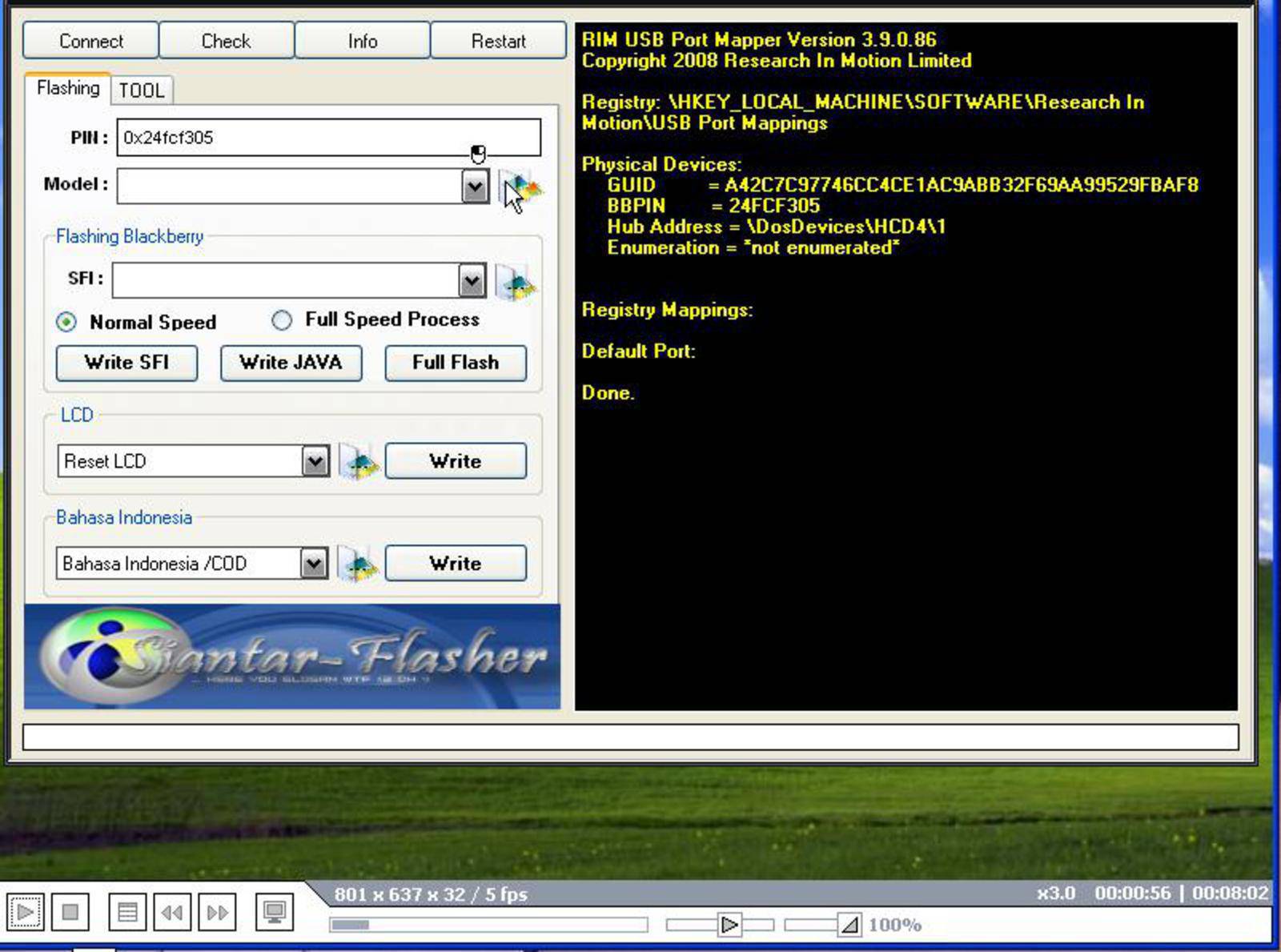
Whats New?
1.Adjust spd 6800h flashing
2.Fix 625a flashing bug
3.Adjust Mstar anti-theft lock algo
4..Fix spd bug
Click here to Download

Subscribe to:
Comments (Atom)


